


Views: 0 Author: Site Editor Publish Time: 2025-08-22 Origin: Site


A sports simulator replicates real play by capturing a person's movements with advanced sensors. The simulator processes this data using powerful software to create a realistic experience. High-definition displays and responsive software immerse users in sports activities at home. A sports simulator allows athletes or families to enjoy a game, refine skills, or analyze performance. Many choose a simulator for home entertainment, relying on its technology for a seamless experience.
Sports simulators use sensors and software to track movements and create realistic sports experiences indoors.
Choosing the right space and properly setting up equipment ensures safe and accurate simulator use.
Key components like launch monitors, projectors, and software work together to provide instant feedback and immersive play.
Home simulators focus on convenience and family use, while commercial models offer advanced features for multiple users and durability.
Simulators help improve skills and provide fun, but users should be aware of some limits like less physical feedback and possible hardware distractions.
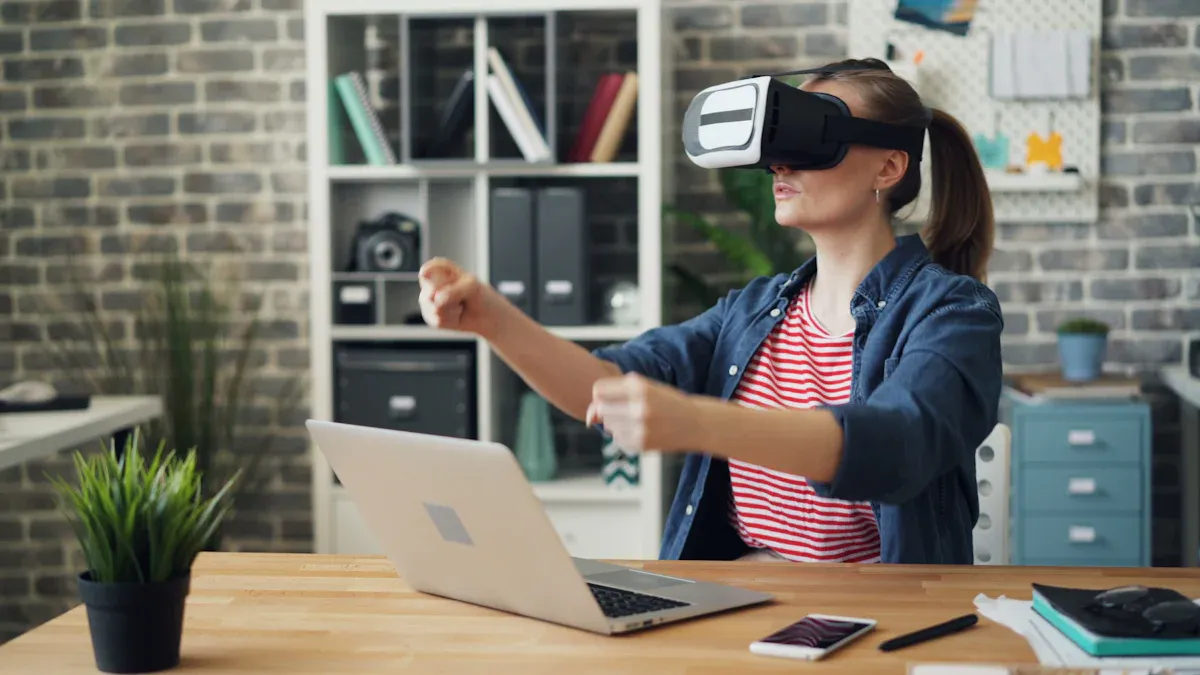
A sports simulator creates a realistic experience by following a series of important steps. The process begins with careful planning and setup. Facility owners or homeowners must select an ideal location that offers easy access and enough space for equipment and safe movement. They check the room’s dimensions, ceiling height, and primary purpose to ensure the area fits the technology and play requirements.
Choose a suitable location with good accessibility and enough foot traffic.
Confirm the space can accommodate the screen, projector, and tracking equipment.
Designate a play area that allows for safe and free movement during each swing.
Install protective draperies or foam panels to prevent damage and define the play zone.
After selecting the space, users address power and connectivity needs. They ensure enough outlets, surge protection, and internet access for the simulator. The next step involves deciding between a fixed or mobile setup, depending on how the simulator will be used. Users then select the right components, such as the enclosure, launch monitor, hitting mat, projector, and software. The final stage includes installation, calibration, and testing to guarantee accurate tracking and a seamless experience.
Tip: Proper calibration ensures the simulator delivers precise swing data and reliable performance feedback.
A full simulator setup relies on several essential hardware and software elements. Each component plays a unique role in creating an immersive and accurate golf experience.
Launch Monitor: This device tracks ball flight data, including launch angle, speed, spin, and trajectory. It provides instant feedback on every swing, helping users analyze their performance and improve their game.
Simulator Enclosure: The enclosure contains the ball and provides a surface for the projected image. It keeps the play area safe and enhances immersion by displaying realistic golf course graphics.
Projection System: A projector displays virtual courses onto the enclosure screen or another display. High-definition visuals make the simulation feel lifelike and engaging.
Hitting Mat: The mat simulates the feel of real grass, allowing users to practice swings indoors without damaging floors or equipment.
Golf Course Software: Specialized software offers a selection of virtual courses with realistic 3D graphics and environmental effects. It often integrates with the launch monitor to provide detailed swing analysis and performance tracking.
Component | Function |
|---|---|
Launch Monitor | Tracks ball and swing data for performance feedback |
Simulator Enclosure | Contains play area and displays projected images |
Projection System | Projects virtual golf courses onto the screen |
Hitting Mat | Simulates real grass for authentic swing practice |
Golf Course Software | Provides virtual courses and analyzes swing and performance |
A sports simulator combines these components to deliver a complete and interactive golf experience. The software processes swing data from the launch monitor and displays the results instantly. Players can see their shots, analyze their performance, and adjust their technique in real time. This technology makes it possible to enjoy golf year-round, regardless of weather or location.

Modern sports simulators rely on advanced sensors to capture every detail of a golf swing. High-speed cameras, radar, and infrared sensors track the club’s movement, ball speed, and launch angle. These sensors work together with software to deliver high-speed real-time feedback. The system measures swing path, clubface angle, and impact location, providing accurate swing data for every shot. AI-powered analytics now enhance these systems, creating immersive training environments. Athletes can practice against AI-driven opponents who adapt to their moves, simulating real game pressure without risk of injury. Augmented reality overlays real-time biomechanical feedback, helping users correct form and optimize training.
A golf launch monitor sits at the heart of every golf simulator. This device measures key metrics for each swing, ensuring accuracy and realistic ball physics. The table below shows the main metrics tracked:
Metric | Description | Unit/Notes |
|---|---|---|
Ball Speed | Velocity of the golf ball immediately after impact | MPH |
Launch Angle | Angle at which the ball ascends from the ground | Degrees |
Back Spin Rate | Rate of backward rotation of the ball after impact | RPM |
Side Spin Rate | Rate of horizontal spin of the ball after impact | RPM |
Carry Distance | Distance the ball travels through the air | Yards |
Apex Height | Maximum height reached by the ball during flight | Feet or meters |
Spin Axis | Axis of the ball's rotation, derived from spin rates | Determines ball curvature |
Flight Time | Duration the ball remains in the air | Seconds |
Golf launch monitors use advanced analytics to help players improve performance. The software processes each swing and delivers instant feedback, making it possible to refine technique and track progress over time.
Overhead golf launch monitors, such as the VisTrak SCX, represent a major advancement in golf simulator technology. These devices mount above the swing area, providing a fixed and consistent observation point. Overhead golf launch monitors capture detailed swing, speed, and ball flight data with high precision. They support both right- and left-handed players without repositioning, making them ideal for overhead golf simulators in commercial or home settings. The table below highlights the differences between standard and overhead models:
Feature | Overhead Golf Launch Monitors | Standard (Portable) Golf Launch Monitors |
|---|---|---|
Installation | Fixed above swing area, permanently installed | Portable, can be moved to different locations |
Observation Point | Fixed and consistent, stable data capture | Variable, requires repositioning after each shot |
Data Precision | High precision, detailed swing and ball flight | Less precise, may miss fine details |
User Accommodation | Supports both right- and left-handed players | Requires repositioning for different handed players |
Setup and Readiness | Always ready, no setup needed before each shot | Needs setup and repositioning before/after shots |
Portability | Not portable, fixed installation | Highly portable, usable in various locations |
Cost | More expensive, advanced technology | More affordable and budget-friendly |
Safety | Installed out of reach, safer in home environments | Needs to be stored safely to avoid damage |
Overhead golf launch monitors deliver unmatched accuracy and convenience. Their integration with software ensures realistic ball physics and advanced analytics for every session. In 2025, trends like compact designs and multi-sport functionality continue to shape the future of sports simulators.
Home sports simulators often focus on convenience and essential features. Users expect easy setup, intuitive controls, and reliable performance. Many home models include adjustable settings, family-friendly modes, and compatibility with multiple sports. Commercial simulators, on the other hand, offer advanced features such as high-traffic durability, enhanced analytics, and multi-user support. These systems may include tournament management, custom branding, and integration with sports league simulator platforms. Both types deliver a realistic experience, but commercial models prioritize scalability and robust operation.
Space requirements play a crucial role in choosing between a home or commercial installation. Most home users need a room with at least 9 feet of ceiling height and dimensions around 12 feet wide by 15 feet deep. This allows for comfortable swinging and proper equipment placement. The table below outlines typical recommendations:
Setting | Recommended Space Requirements | Notes |
|---|---|---|
Home Installation | Ceiling height: 9 feet or more | Supports safe swings and accurate measurements |
Room size: 12 ft wide x 15 ft deep x 10 ft high | Fits net, screen, and launch monitor | |
Commercial Setting | Similar or larger than home requirements | Commercial spaces often need more room for multiple users |
Safety Considerations | Sufficient space for movement and walking areas | Prevents injury and equipment damage, especially in basements |
Some users seek a golf simulator for low ceilings. Compact models can fit in rooms with less height, but users must always ensure enough space for safe play. Commercial setups usually require even more space to accommodate groups and ensure safety.
The experience differs between home and commercial environments. At home, users enjoy privacy, flexible scheduling, and a relaxed atmosphere. They can practice alone or with family, making the experience personal and convenient. Commercial simulators provide a social setting, often hosting events, leagues, or group training. These venues offer professional support, advanced analytics, and access to a wider range of sports simulation games. Both settings deliver immersive play, but the choice depends on the desired experience and available space.
Golf enthusiasts seeking a home simulator in 2025 have several standout options. Foresight Sports GC3 and GCQuad deliver precise ball tracking and club data, making them ideal for a custom home simulators or a dedicated golf studio. The GC3S SIG10 package offers an immersive setup with a large screen and realistic visuals. TruGolf and SkyTrak provide reliable performance and user-friendly interfaces, perfect for families or individuals who want to practice at home. Optishot and ProTee Ultimate appeal to budget-conscious users, offering essential features and compatibility with multiple sports. Each home model supports a realistic golf experience, allowing users to refine skills year-round.
Model | Key Features | Price Range |
|---|---|---|
Foresight GC3 | Accurate ball data, compact design | $7,000–$9,000 |
GC3S SIG10 | Large screen, immersive setup | $10,000–$13,000 |
GCQuad | High-end simulator, club analytics | $14,000+ |
TruGolf | User-friendly, multi-sport support | $6,000–$10,000 |
SkyTrak | Affordable, portable | $2,000–$5,000 |
Optishot | Entry-level, easy setup | $500–$1,000 |
ProTee Ultimate | Multi-sport, customizable | $8,000–$12,000 |
Commercial golf studios and entertainment venues require robust, feature-rich simulators. Leading brands in 2025 include Uneekor, Foresight, and TruGolf. These systems offer immersive graphics, realistic gameplay, and intuitive controls. TruGolf’s Product Launcher enables quick switching between sports simulation games, while the E6 Commercial Suite provides business management tools like remote monitoring and league management. Golfzon, TrackMan iO, Uneekor Eye XO2, ProTee VX, FlightScope Mevo+, and VisTrak SCX stand out for their accuracy and durability. Many commercial simulators feature premium enclosures and impact screens designed for heavy use.
Multi-sport simulator platforms, such as Sports Simulator, enhance the experience by supporting a wide range of activities. Users can practice soccer, baseball, or golf in one system. Customization options allow businesses to tailor the simulator to their brand and customer preferences. Interactive tournaments and regular software updates keep the experience fresh and engaging, making these simulators a top choice for any modern golf studio.
Note: Commercial packages often include installation, training, and ongoing support, with prices ranging from $15,000 to over $60,000 depending on features and scale.
Sports simulators offer a wide range of benefits for both skill development and entertainment. Users can practice their swing in a controlled, risk-free environment, which supports steady improvement. These systems help individuals develop problem-solving and decision-making skills. Many people find that immersive, practical engagement leads to better learning outcomes. Sports simulators also encourage teamwork, communication, and leadership during group activities or sports simulation games.
The table below highlights the main advantages:
Benefit Category | Specific Benefits |
|---|---|
Skill Development | Skill acquisition and training in a safe setting |
Enhanced problem-solving and decision-making | |
Improved learning through immersive engagement | |
Development of teamwork, communication, and leadership | |
Entertainment | Relaxation and stress relief |
Customizable and replayable experiences (avatars, equipment, environments) | |
Social connectivity through multiplayer features | |
Community building and friendly competition |
Sports simulators provide customizable experiences, allowing users to adjust settings and environments. Multiplayer features support social interaction and community building. Many users enjoy replaying scenarios to refine their swing and track performance over time.
Despite their many strengths, sports simulators have some limitations. Users often report that simulators do not fully replicate the physical demands and pressures of real-world matches. The lack of spontaneity and unpredictability in decision-making can limit the transfer of skills to actual games. Hardware issues, such as heavy head-mounted displays and cables, may restrict movement and cause distractions. Some users experience cybersickness with immersive VR devices.
Simulators may not support real-time physical feedback or first-person perspectives.
Screen-based systems can limit immersion and motor skill development.
Many studies on simulator effectiveness have small sample sizes and short durations.
Some training tasks lack strong theoretical or empirical validation.
Hardware cables can interfere with natural body movement.
The long-term impact of simulation training remains unclear.
Exposure time in immersive environments requires careful management.
Sports simulators deliver valuable training and entertainment, but users should remain aware of these drawbacks when choosing a system.
Sports simulators deliver realistic training and entertainment by combining advanced sensors, responsive software, and immersive displays. Users should evaluate available space, budget, and desired features before selecting a model. Recent trends highlight wireless operation, ergonomic hardware, and AI-powered training that adapts to skill levels. Developers continue to improve motion recognition and visual technologies, creating more engaging sports simulation games and multi sport simulator experiences. As innovation accelerates, sports league simulator platforms will offer greater comfort, safety, and social interaction.
A Sports Simulator uses sensors, software, and displays to recreate real sports experiences. The system tracks movements and provides instant feedback. Users can play sports simulation games, practice skills, or compete in a multi sport simulator environment.
Sports Simulators deliver high accuracy by using advanced tracking technology. Launch monitors and overhead sensors measure ball speed, spin, and trajectory. Many sports league simulator platforms offer detailed analytics for skill improvement.
Most modern Sports Simulators feature multi sport simulator functionality. Users can switch between golf, soccer, baseball, and other sports simulation games. This flexibility makes the system ideal for families, athletes, and commercial venues.
A Sports Simulator typically requires a room with at least 9 feet of ceiling height and 12 by 15 feet of floor space. Compact models fit smaller areas. Commercial setups need more space for group play and sports league simulator events.
Sports Simulators provide both training and entertainment. Athletes use them to refine skills and analyze performance. Families enjoy sports simulation games and multiplayer features. Multi sport simulator platforms encourage social interaction and friendly competition.
